See it in action
A quick tour of the admin panel, media library, scene and playlist editors and the full-screen perimeter player.
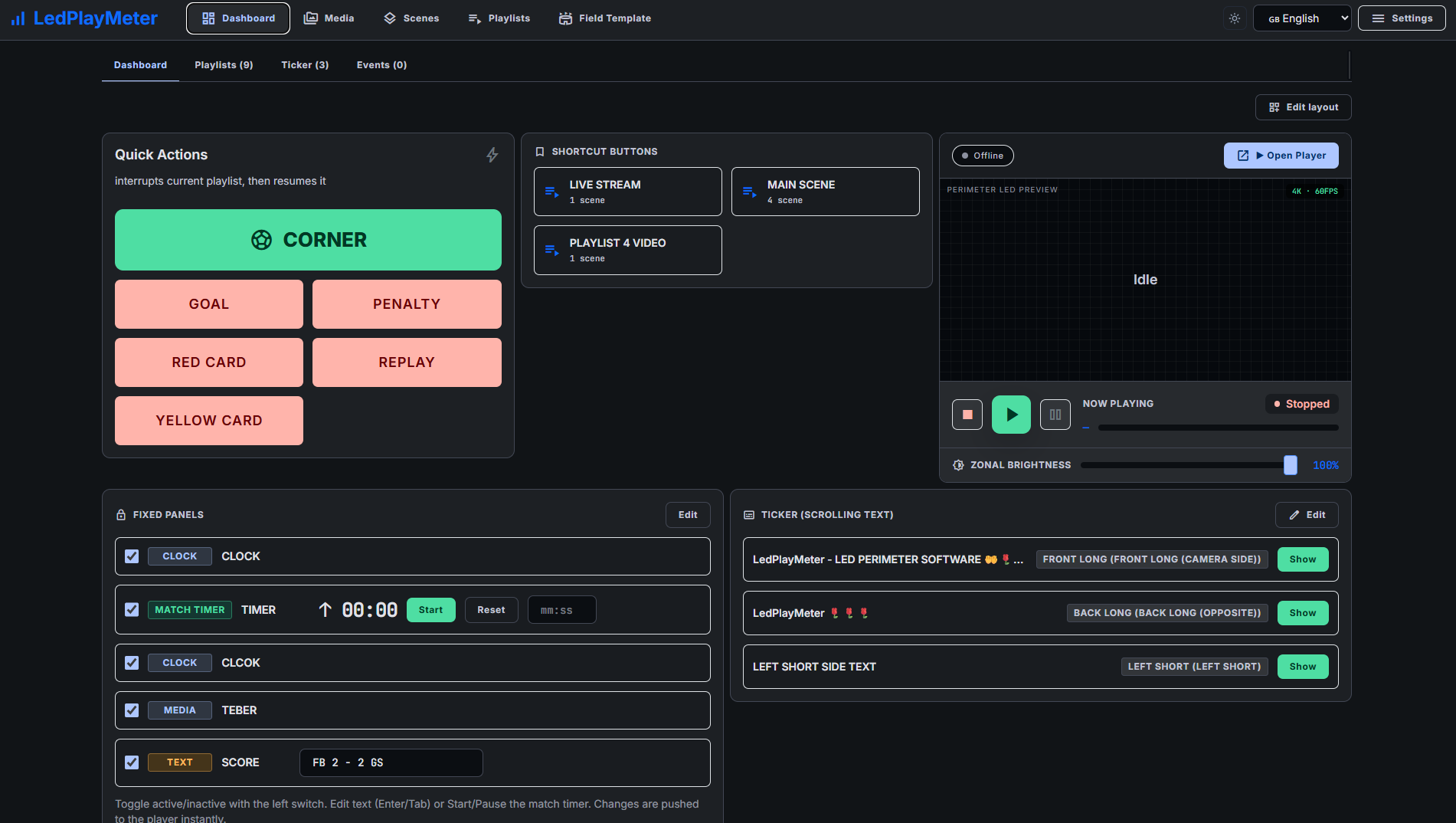
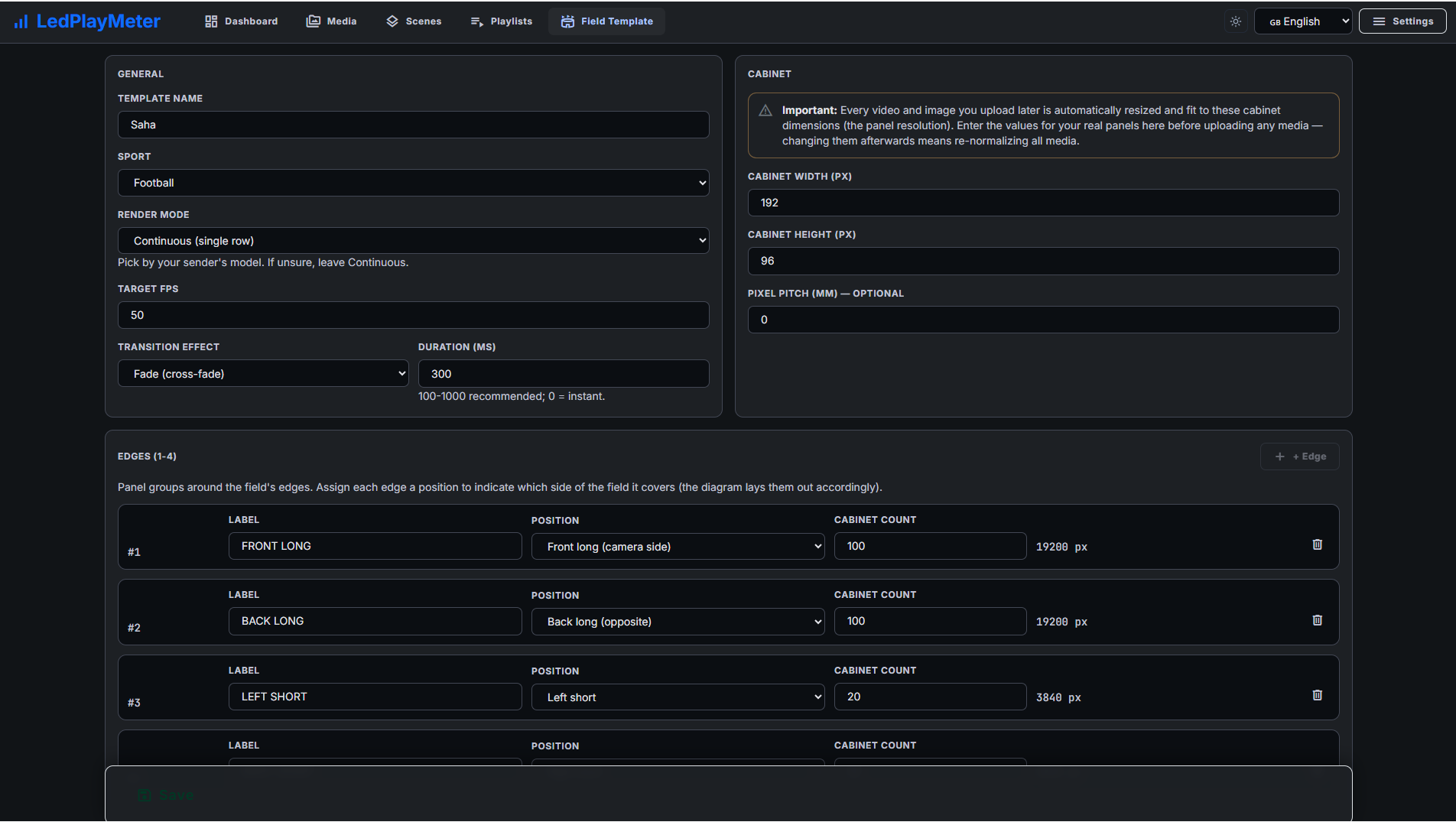
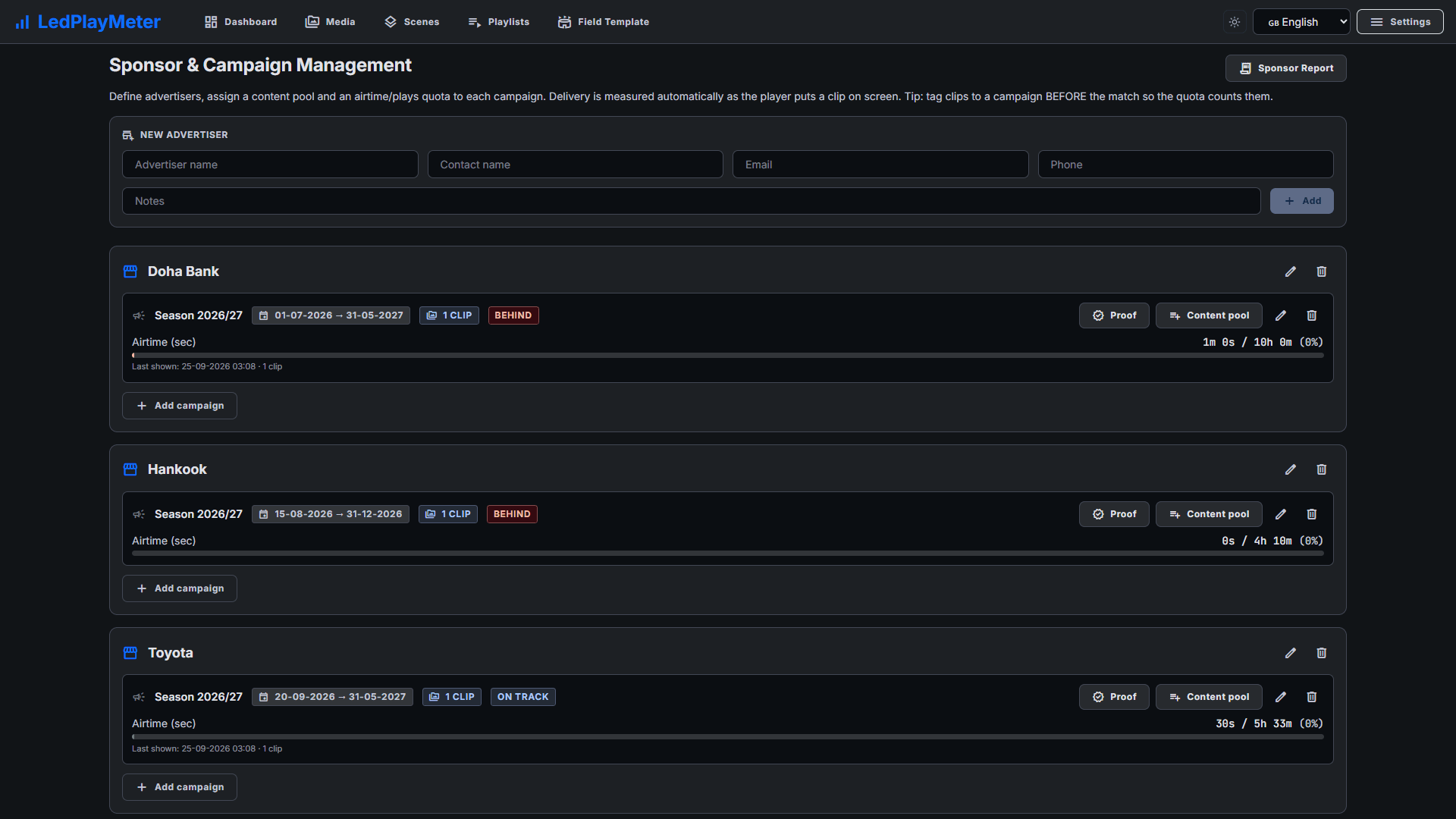
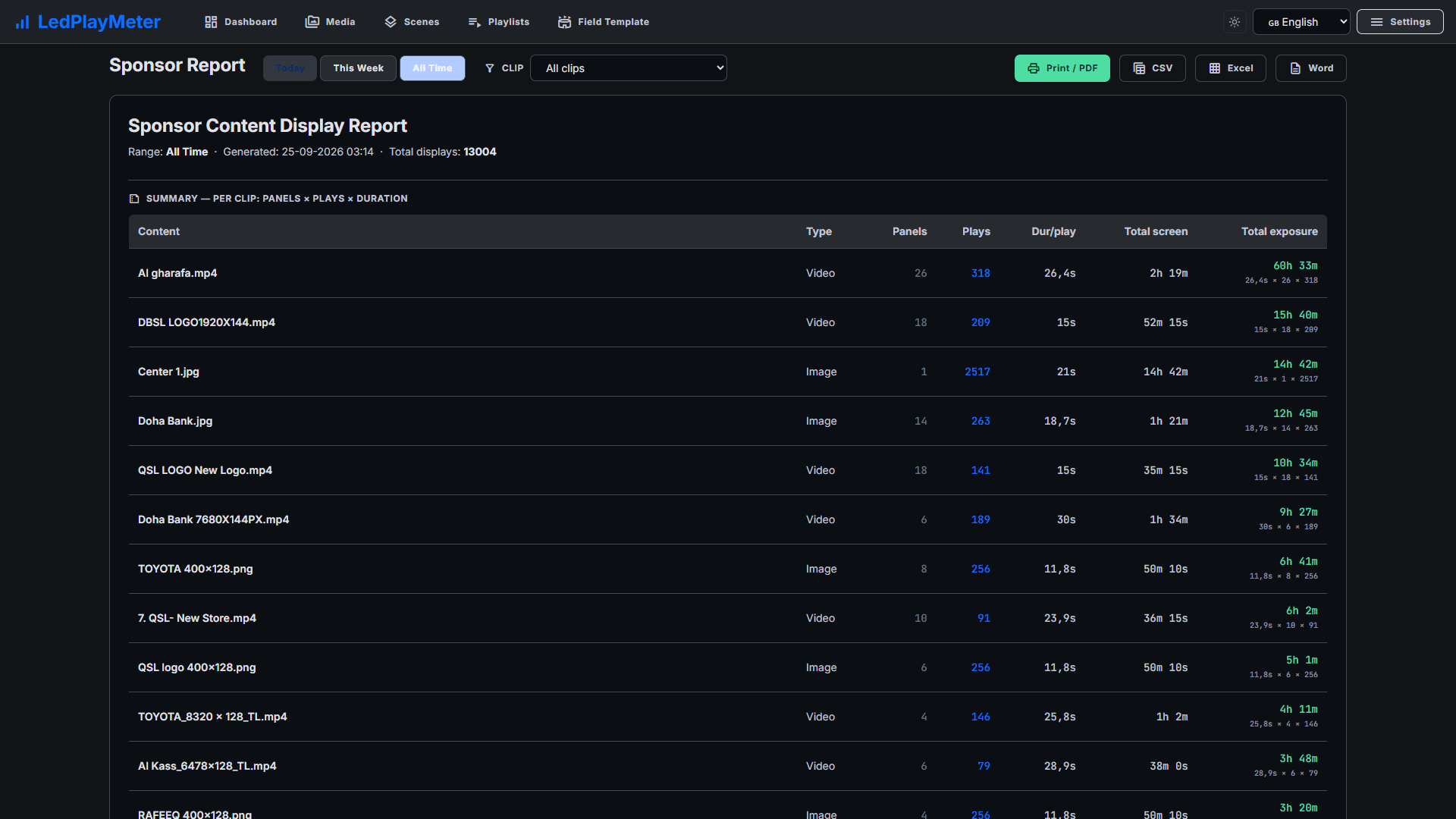
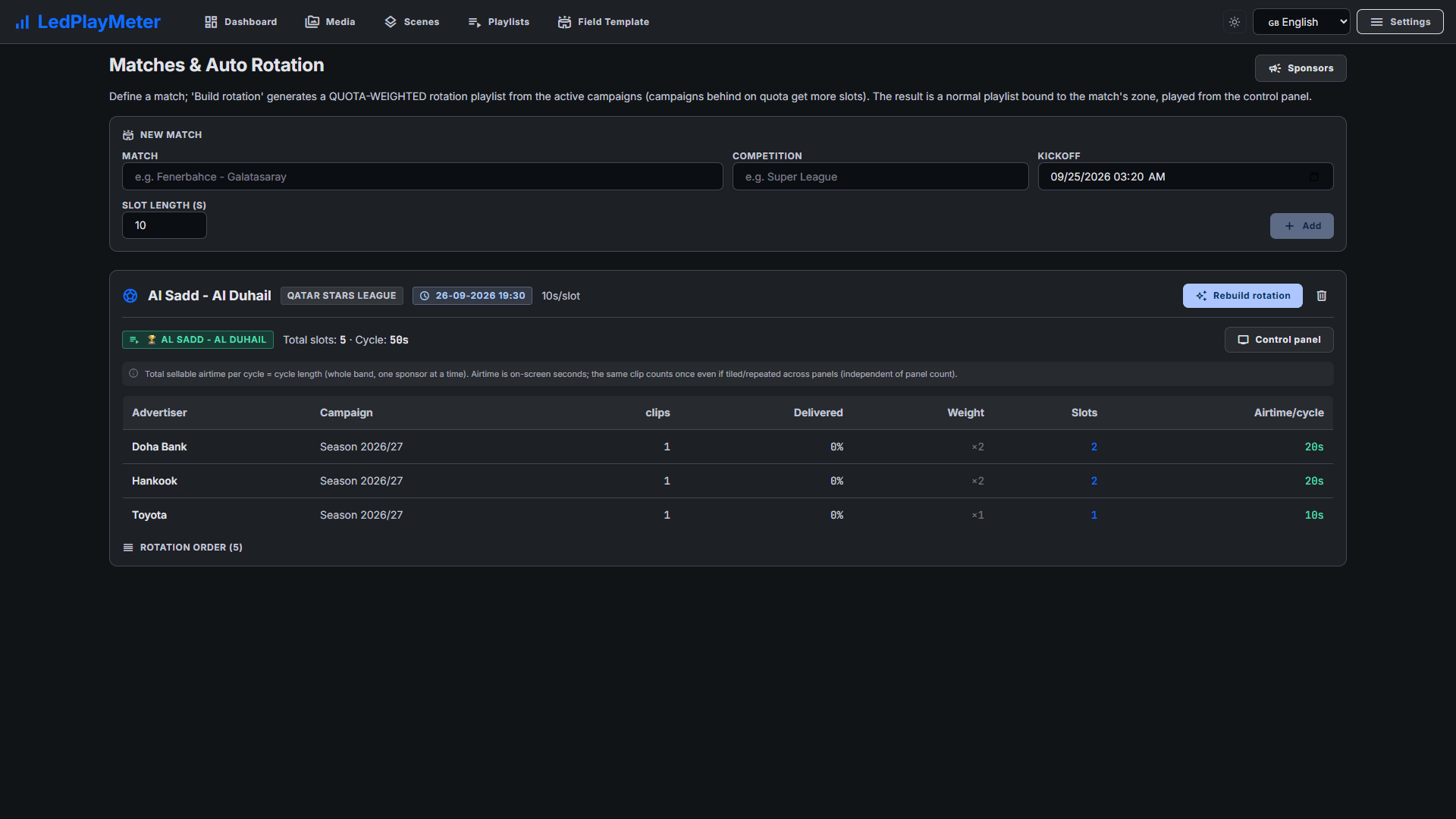
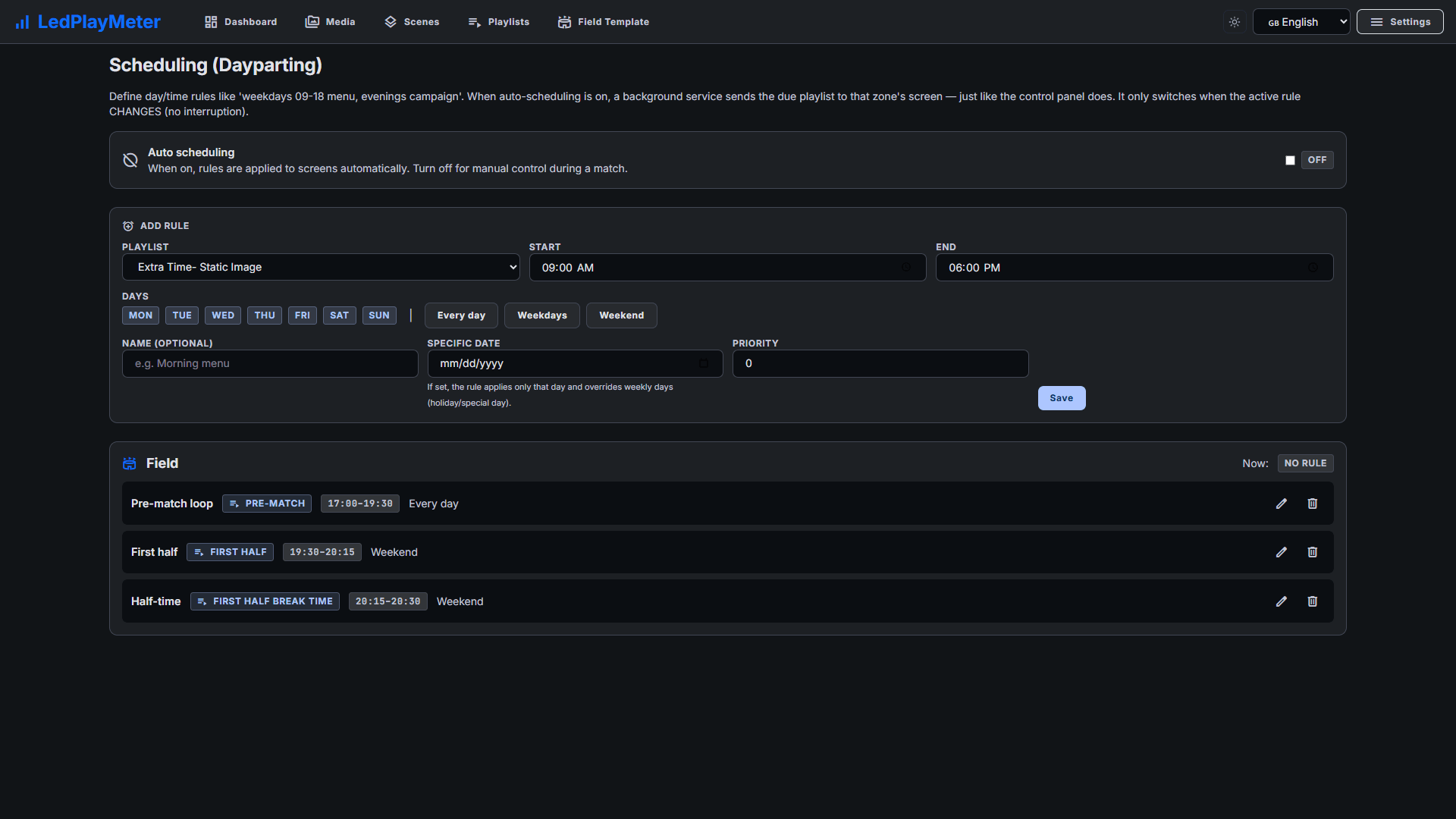
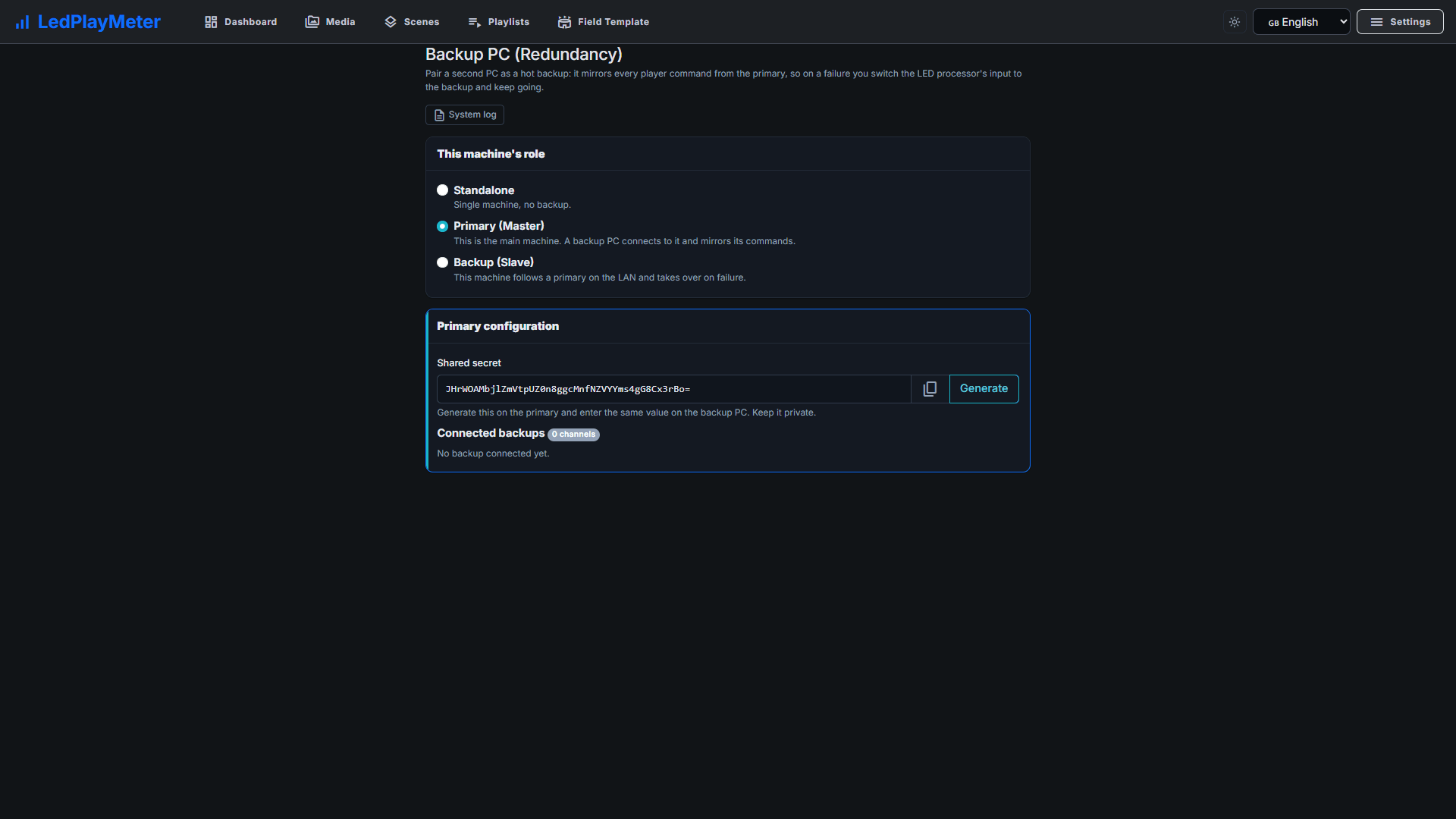
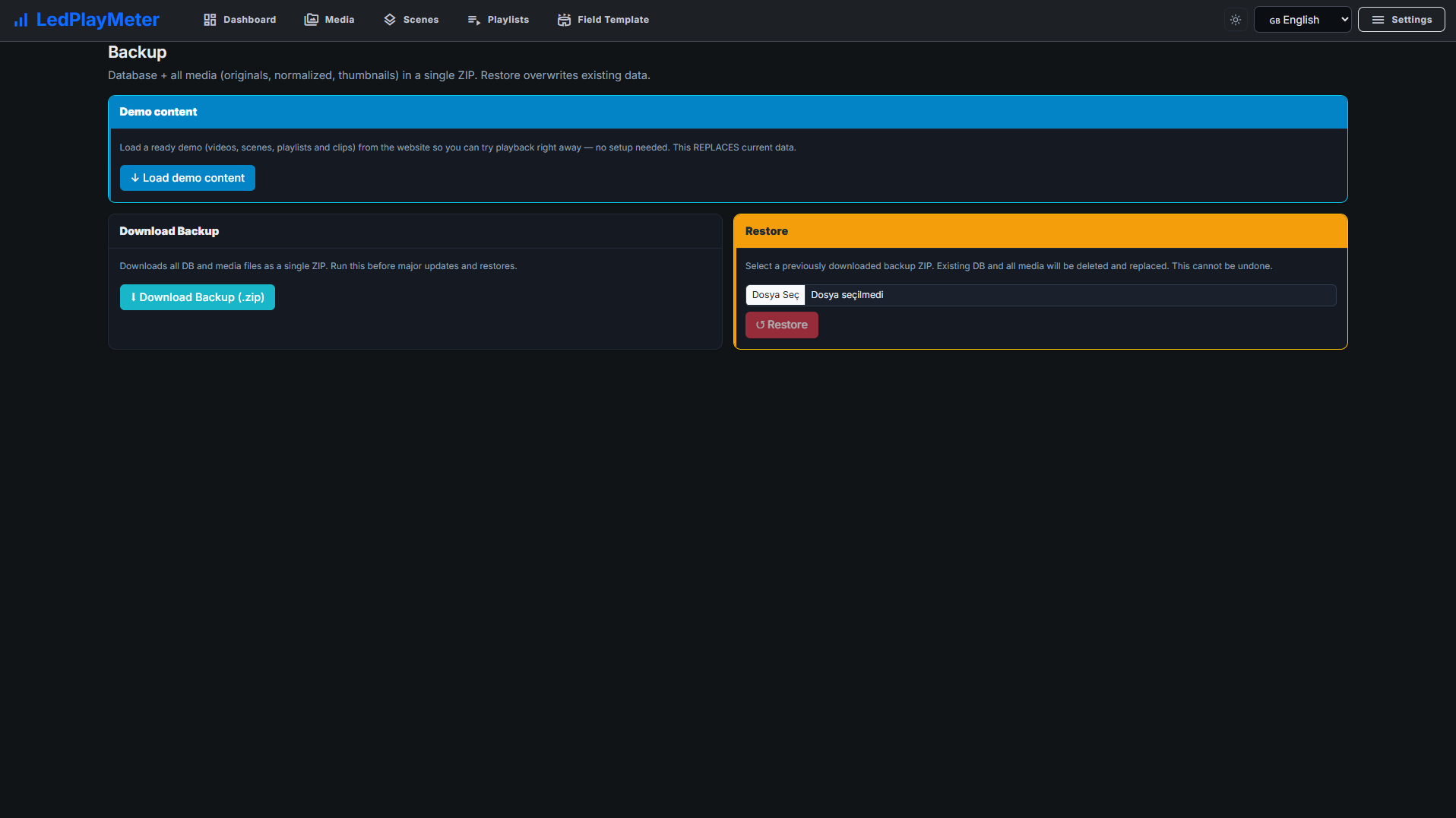
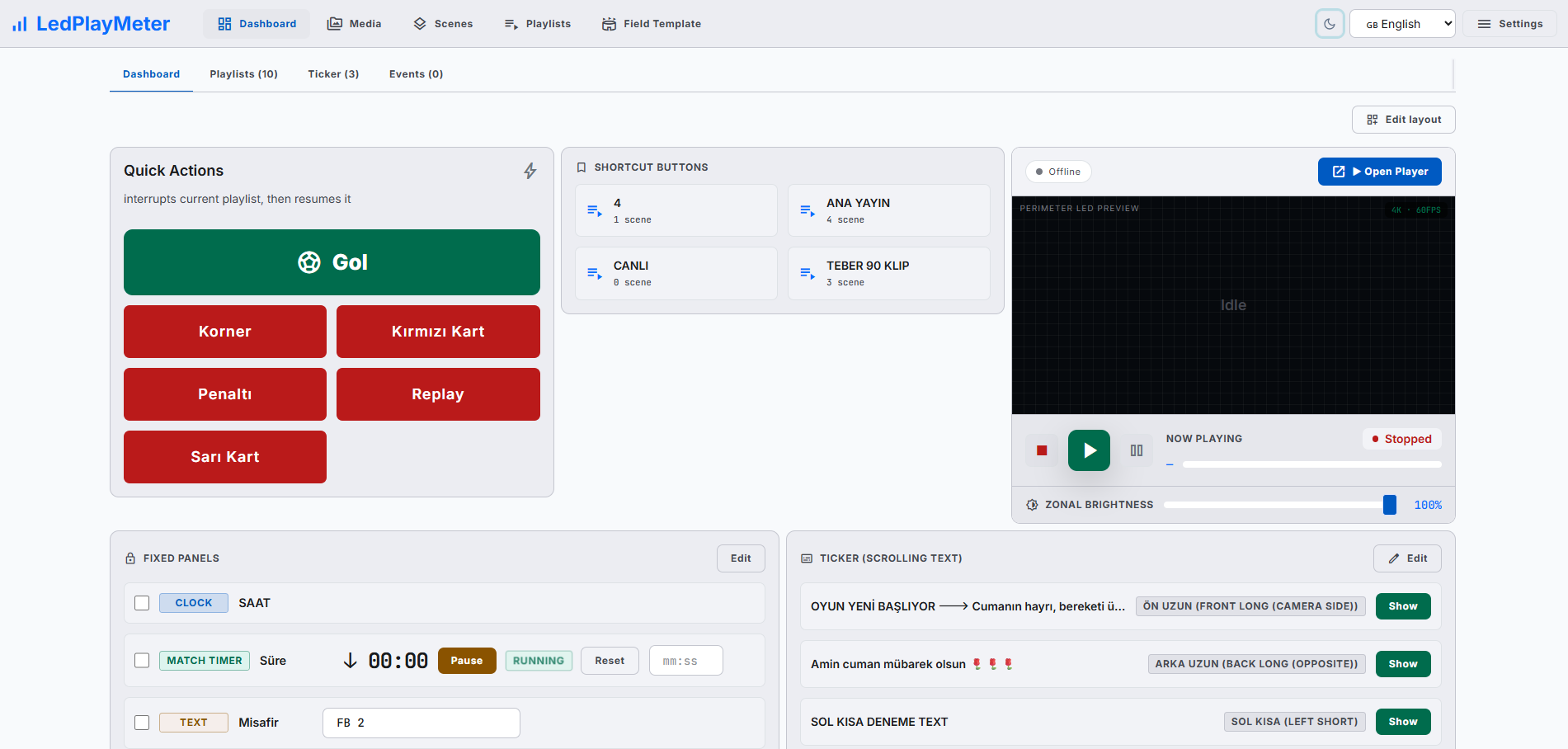
Modern, web-based LED perimeter player and playlist manager for the advertising panels around football and every other sport. Uploaded media auto-fits the panel; goals, scores, time-outs, cards and other quick actions cut in with a single click and return. A browser is enough — easy to install, even easier to run.
Any event with LED panels around the field, court, track or ring. The software is hardware-independent — you only define your panel module size.
Not just sport — perimeter LED advertising for any venue with an LED ribbon around the field, stage or aisle.
Every market has its own word for the advertising screens around the pitch: perimeter LED display, pitchside boards, LED boarding, LED hoarding, ribbon board. Whatever you call them, they are the same surface — and LedPlayMeter runs them all from one PC. Pick the guide written for your market:
The industry's most common name for the digital advertising band around a sports field.
The British name — the LED boards along the touchline at stadiums and training grounds.
The continental European term for the pitch-side digital advertising band.
The name used in the UK, India and the Middle East for stadium perimeter advertising screens.
The North American arena term — the LED ribbon that wraps the seating bowl around the court or rink.
Upload media, build scenes and playlists, and run the whole perimeter live — quick actions, ticker, brightness, statistics and one-click backup, all from a single panel.
While one visual plays, the next one is prepared in the background. Transitions are seamless — no black frames.
Goal, score, time-out, card, replay — one click pauses the current playlist, plays the quick action, and returns to where it left off.
Uploaded videos and images auto-adapt to your panel module size. No black bars between modules — everything aligned.
Player and admin panel speak through the same system. Pause/Resume, brightness, ticker, playlist switch — pushed to all screens with no delay.
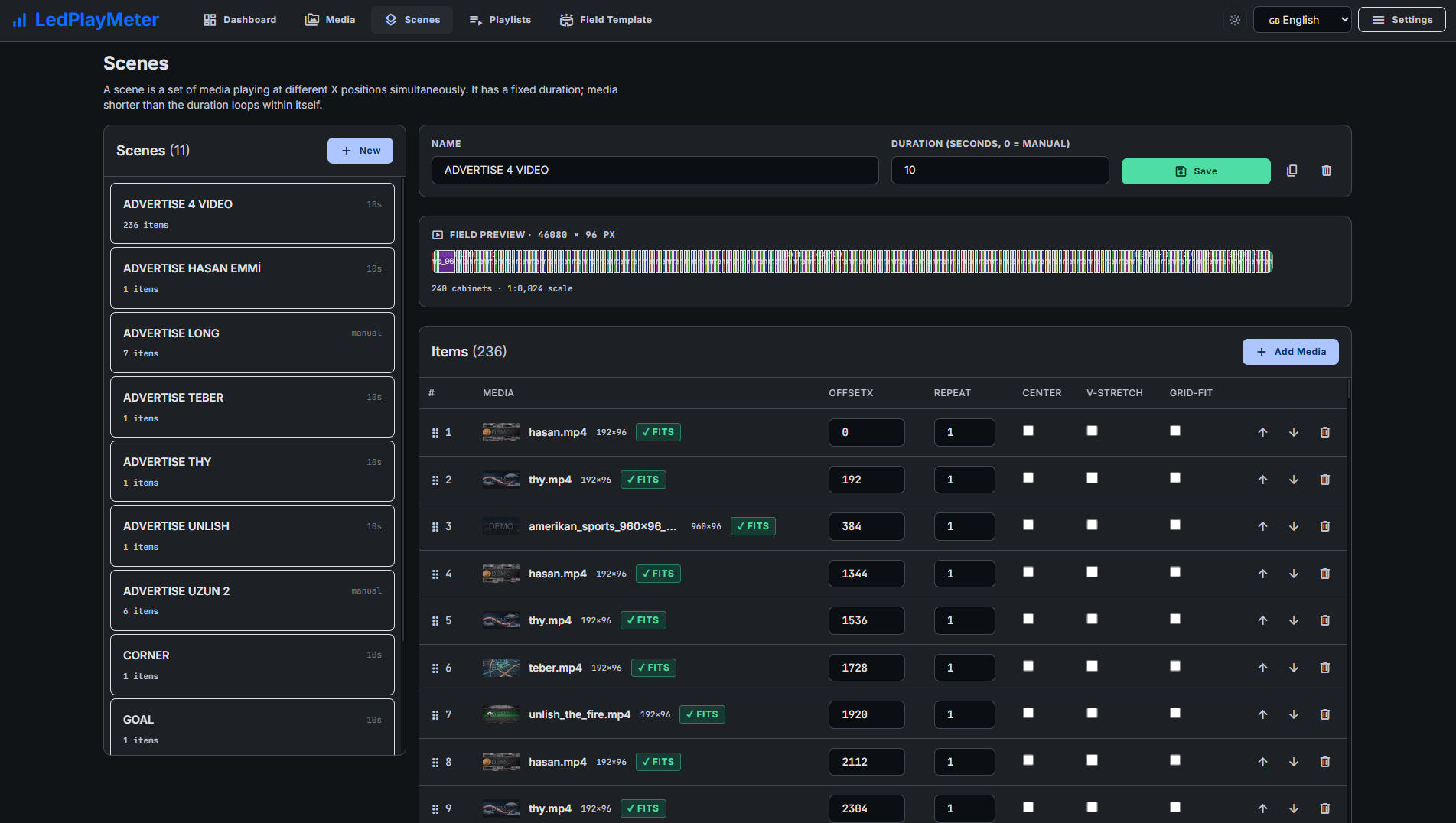
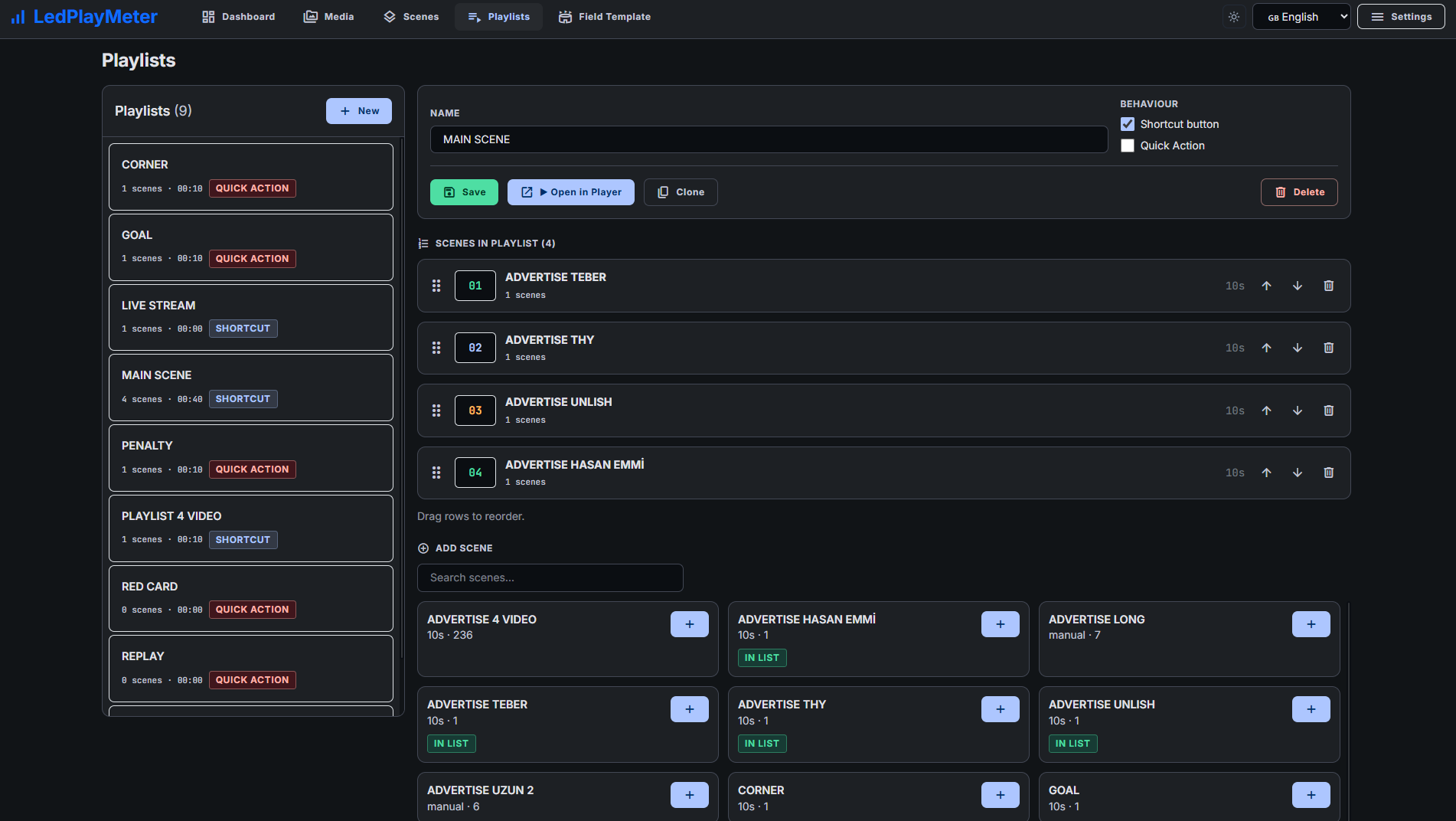
Group simultaneously playing media at different positions into a scene; queue scenes into a playlist. Shortcuts and quick-action flags for instant access.
Cut or smooth fade between scenes. Set duration in milliseconds; manual commands always trigger instantly.
Most played playlist, quick action counts, hourly activity report — for today, this week, all time. Download as a one-click report.
Take a backup with one click without stopping playback; restore just as easily. Ideal for installation snapshots.
A quick tour of the admin panel, media library, scene and playlist editors and the full-screen perimeter player.
10 short how-to videos recorded on a real stadium setup — from the first field template to live sponsor rotation, backup PC failover and restore.
 2:04
01Setup: field template & media upload
2:04
01Setup: field template & media upload
 1:52
02Create a scene: pin sponsors & auto-fill the band
1:52
02Create a scene: pin sponsors & auto-fill the band
 1:51
03Build a playlist & go live
1:51
03Build a playlist & go live
 1:38
04Quick actions: goal animation in one click
1:38
04Quick actions: goal animation in one click
 1:02
05Customize the dashboard layout
1:02
05Customize the dashboard layout
 2:11
06Sponsor campaigns & proof of play
2:11
06Sponsor campaigns & proof of play
 1:15
07Sponsor & playback reports
1:15
07Sponsor & playback reports
 1:18
08Automatic sponsor rotation for every match
1:18
08Automatic sponsor rotation for every match
 2:24
09Backup PC redundancy & failover
2:24
09Backup PC redundancy & failover
 1:00
10Backup & restore in one click
1:00
10Backup & restore in one click
A hardware-independent, browser-based player. One PC connected to the LED processor is all you need.
Define your panel module size, segment count and target rate. Resolution is calculated automatically.
Drag & drop videos and images. The system processes and adapts them to your panel in the background and generates previews.
Which media plays at which position with how many repeats? Design quickly with the master-detail editor.
Open the player full-screen on the PC connected to the LED processor. The admin panel controls everything live.
Four one-time license packages, chosen by the total megapixels of your perimeter (cabinet pixels W×H × number of panels). One payment, no annual fee. Without a license a "DEMO" overlay is stamped on uploaded media; after activating a license you can re-process existing media in one click for a clean version.
Prices start at $600 — tell us the size of your perimeter and we send a quote by email the same day.
e.g. half a side, or a full side of older P16
e.g. one long side (~100 m) at P8–P10 — the typical install
e.g. three sides at P8–P10, or one side at fine pitch (P5–P6)
e.g. three or four sides at fine pitch
Backup PC (a hot-standby second machine): +50% of the package price. No annual fee, no maintenance contract, no subscription. Running several venues? Contact us for volume pricing.
Included modules ship with every license at no extra cost. Roadmap modules are not available yet; they will be sold as separate add-ons when they are released.
Turn entered data — scores, menus, campaigns — into a styled HTML layout and push it to the panels.
Included
Team and squad book, font library, and man-of-the-match, goal and player templates rendered to PNG and sent straight to the perimeter.
Included
Bring in OBS, cameras and capture cards over RTMP/SRT/NDI and play them like any other media.
On the roadmap
Manage many devices and screens from one panel: groups, bulk assignment, online status.
On the roadmap
Trigger LED content from a newsroom rundown (MOS) and output an NDI source for studio workflows.
On the roadmap
Install it on your match-day PC and start a 30-day trial with one click — all features, no watermark, no internet required. Then load the sample content and explore right away.
Single-file installer for Windows 10/11 and Windows Server. Sets up the player, admin panel and firewall rule automatically.
Download for WindowsA ready-made backup with demo media, scenes and playlists so you can try everything immediately. After install, use the in-app "Load demo content" button — or restore this file manually.
Download sample contentControl the player from a tablet or phone: playlists, quick actions and brightness at pitchside. Connect over the same Wi-Fi with the 6-digit code or QR shown by the PC app.
Get the Android appAfter installing, open the License page and click "Start 30-day trial" — all features unlock instantly, no key and no internet needed. When the trial ends the app keeps running in demo mode (a small "DEMO" overlay on media) until you activate a license.
Windows 10/11 or Windows Server. Single-file installer wizard.
Minimum: a 4-core CPU (Core i3 / Ryzen 3 class), 8 GB RAM, a 128 GB SSD and an HDMI or DisplayPort output to the LED processor. Recommended: a 6-core CPU (Core i5 / Ryzen 5 or better), 16 GB RAM, a 256–512 GB SSD and a dedicated GPU for smooth playback on large perimeters.
Recent Chrome, Edge or Firefox for both player and admin. The player runs full-screen in kiosk mode.
One-time license per PC, sized by the total megapixels of your perimeter. Activation takes minutes; an internet connection is not required.
Any event where LED panels surround the field of play: football, basketball, volleyball, handball, ice hockey, tennis, athletics, combat sports, motorsports and more. The software is hardware-independent — you only define the size of your panel module.
No. The original file is kept untouched in the system. Only the playback copy gets a "DEMO" overlay. Once you activate a license, the "Reprocess all" button generates clean output.
The player produces a browser-based full-screen output. When opened on the PC that is connected to the processor via HDMI / SDI, the processor captures it. Both single-row wide and line-wrap layouts are supported.
No. Player and admin panel run on the same local network (or even on the same PC). Internet is needed only for updates and remote support.
Yes. While one visual is playing, the next one is prepared in the background; the swap happens without black frames or quality drops.
No. The brightness setting dims the image sent to the processor — it is not a hardware command. It is convenient for fading the panel down at the end of a match or training session.
It produces a consistent backup as a single file without stopping playback. Restore is one click, and the current data is automatically backed up before being replaced.
With a software player on a normal Windows PC. You define the pixel size of the band, build playlists and scenes, and open the full-screen player on the PC wired to the LED processor — the processor captures the output and maps it across the boards. No brand-specific controller software is needed for day-to-day operation.
Yes — they are regional names for the same advertising band around the field of play: "pitchside advertising boards" in the UK, "LED boarding" in continental Europe, "LED hoarding" in the UK and India, "ribbon boards" in North American arenas. LedPlayMeter runs them all; only the pixel dimensions differ.
Install LedPlayMeter and use every feature free for 30 days — no credit card, no internet, no risk.
The installer is not digitally signed yet, so your browser and Windows may show a warning. The file is safe — follow these steps.
If the browser says the file “isn’t commonly downloaded” or “may be dangerous”, choose Keep / Download anyway in the downloads list. In Edge: … → Keep → Show more → Keep anyway.
When you open the file and “Windows protected your PC” appears, click More info, then Run anyway.
If Windows asks to allow changes, click Yes and finish the wizard. When the app opens, go to the License page and click Start 30-day trial.
Why the warning? Windows and browsers flag every new program that is not yet digitally signed and widely downloaded. Only download the installer from ledperimetersoftware.com.
Download didn’t start? Download again
LedPlayMeter Remote is not published on Google Play, so it is installed straight from this site. Android therefore asks for confirmation a few times — follow these steps.
Download the app on the tablet or phone. If the browser warns that this type of file can harm your device, tap Download anyway.
Open the downloaded .apk file. When Android asks about installing unknown apps, tap Settings, turn on Allow from this source and go back. This is asked only once.
If Google Play Protect asks “Scan app?”, you can choose Install without scanning. Then tap Install → Open.
The app only talks to your own LedPlayMeter PC: no account, no cloud. Opened this page on a computer? Open ledperimetersoftware.com/store on the tablet instead.